The TL;DR
TL;DR: On July 22, 2026, OceanWP hosted a live webinar featuring guest speaker Michael Sanchez (founder of Rise Peak Digital marketing agency) to discuss the evolving landscape of SEO and GEO. This article covers the key takeaways from that event, along with our team’s practical recommendations, essential SEO foundations, and a reality check on modern AI “flaws” and “traps”.
GEO is NOT the New SEO
We’ve mentioned this in a few of our previous articles, but it remains a fact: Search engine optimization is changing faster than ever.
With the rise of AI search engines like ChatGPT, Claude, and Gemini (which also powers Google AI Overviews), site owners, designers, and developers are bombarded with buzzwords like AIO (AI Optimization) and GEO (Generative Engine Optimization).
In our recent SEO & GEO Booster Webinar featuring Michael Sanchez, we tackled these exact industry shifts.
Here are the most critical insights, strategic takeaways, and actionable steps to ensure your website stays visible, authoritative, and performant in 2026 (and well beyond).
1. GEO is an Evolution, Not a Replacement for SEO
If you know anything about us here at OceanWP, you know we love tackling industry misconceptions.
One of the biggest myths floating around the web recently is that “traditional SEO is dead” and has been replaced by GEO or AIO.
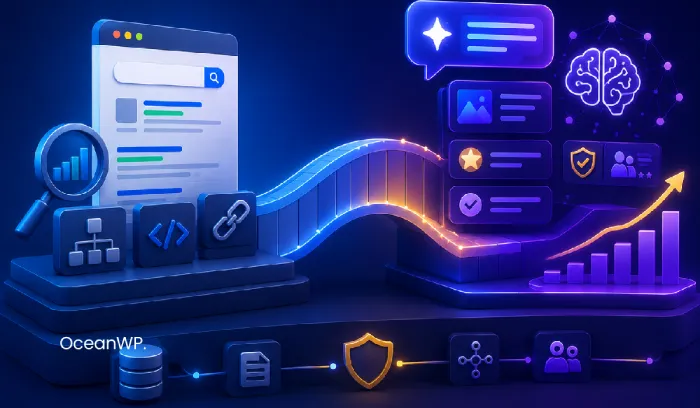
But here’s the truth: GEO isn’t replacing SEO. GEO is modern SEO.
Let’s take a step back and observe this logically: AI engines don’t and can’t generate authority out of thin air.
Large Language Models (LLMs) and search engines pull their recommendations from indexed, structured, highly authoritative web content. If your traditional SEO foundations, such as proper indexation, clear site structure, and clean code, are weak, then AI tools won’t find you. As a result, they won’t recommend you.
However, Michael noted that when AI search engines recommend a business, the resulting traffic can convert 20x to 25x higher than traditional keyword search. Why? Because being cited in an AI query can feel more like a warm referral from a trusted friend.
The golden rule is: Focus on becoming the most authoritative, trustworthy resource on your topic. Don’t waste your time trying to “hack” or manipulate search algorithms because you really can’t.
Before you unlock the panic mode, we want to assure you: the rest of this article shares practical advice every site owner can easily execute, regardless of their technical or WordPress expertise level.

2. The AI Content Trap: Why Low-Value AI Text Can Struggle
As we highlighted in our article about Vibe-Coding vs. WordPress, using AI to draft an outline or structure your ideas is fine. It saves money, time, and energy, and helps boost creativity when words are hard to find. But publishing raw, unedited AI content without adding original value can seriously undermine its search visibility.
In the “old” days of SEO, content writers relied heavily on plagiarism checkers to ensure text was original enough to rank. Today’s systems are even smarter. Search systems are increasingly capable of recognizing repetitive, recycled, or low-value content patterns, regardless of whether the text was written by AI or a human.
During the live webinar audits, Michael used Ahrefs’ content evaluation tools to identify pages flagged as “pure AI text”. He explained that low-value, repetitive, or insufficiently edited AI content may struggle with indexation and search visibility.
How to Make Content Rank in the AI Era:
- Incorporate E-E-A-T (Experience, Expertise, Authoritativeness, Trustworthiness): Search engines prioritize real human insight and perspective.
- Add Personal Experience & Case Studies: Share first-hand stories (“In my 10 years as a technical support agent, I’ve found that…”). AI can’t replicate personal lived experience (yet).
- Leverage FAQs with Consolidated Answers: AI search thrives on direct Q&A formats. Write a clear, 1-sentence summary right below your subheading before expanding into details.
- Structure Your Data: Use clear H1/H2/H3 tags and schema markup so crawlers can understand your content effortlessly.
(For a deeper dive into modern SEO strategy, check our guide on the latest SEO trends with actionable examples.)
But when it comes to true SEO and real-world search visibility, content quality alone is not enough. Even the most authentic, “human-sounding” content will fail to rank if the site’s technical foundation can’t support it. So let’s check out the tech aspects that ensure your content actually gets crawled.
3. Crawlers Demand Speed, Performance, and Clean Tech
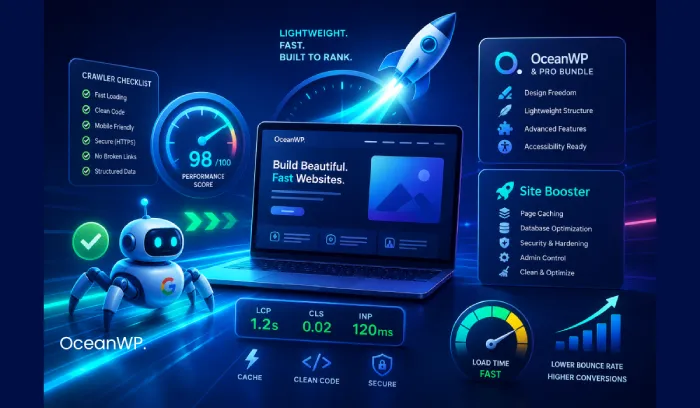
Crawlers and internet users share the exact same preference: they favor websites built on speed, lightweight rendering, and smooth technical performance.
You can write the most brilliant and unique content in the world. But if your site takes ages to load or is full of broken links and slow scripts, it can create a poor experience for visitors and make crawling less efficient. Likewise, site visitors will abandon it.
This is where the combination of OceanWP and Site Booster creates a strong foundation:
- OceanWP & OceanWP Pro Bundle: Gives you the core design flexibility, lightweight theme structure, and advanced site functionality needed to build visually stunning, user-friendly, and accessibility-ready pages.
- Site Booster: Takes care of the technical performance engine under the hood. It delivers essential tools for caching, database optimization, security, admin control, and decluttering. This ensures your site stays lightning-fast and search-bot friendly without potential bloat.
By pairing a fast theme layout with deep performance optimization, you support more efficient crawling and a better overall user experience.
But no matter how amazing of a WordPress theme OceanWP is, there’s one thing it can’t help you with directly. And that is to build authority.
4. Building Authority: You Don’t Always Need Expensive Premium Tools
Building genuine website authority requires consistent commitment. And while specialist tools help streamline the process, they aren’t mandatory.
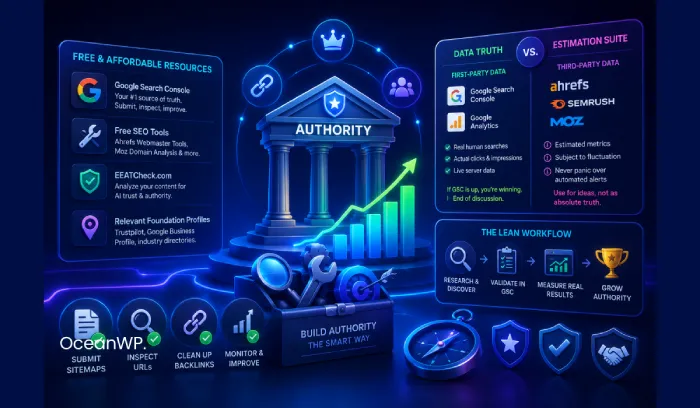
During the webinar, premium tools like Ahrefs and Semrush were featured for running deep site audits. While agencies rely on these high-end suites, you really don’t need a massive budget to boost your site’s authority and SEO health.
Before getting discouraged or spending money on expensive monthly subscriptions, start with these essential (free or affordable) online resources:
- Google Search Console (Free): Your #1 direct channel to Google. Use it to submit sitemaps, inspect indexing, monitor search performance, and identify technical issues.
- Domain & SEO Checkers (Free): Tools like Ahrefs’ Website Authority Checker or Moz Domain Analysis let you inspect your backlinks and authority for free.
- EEATCheck.com (Free): Mentioned during the webinar to analyze your blog posts and verify if your content meets AI trust and authority criteria.
- Relevant Foundation Profiles (Low-to-No Cost): If it aligns with your actual business model, establishing a genuine presence on trusted platforms, such as Trustpilot, Google Business Profile, or industry-specific directories, can naturally pass authority signals. Focus only on channels that serve a real purpose for your brand.
Pro Tip: If your website has strong security in place, URL scan attempts with tools like EEATCheck.com may result in a 403 error response. In that case, you can use your favorite AI engine and this prompt example, along with your content copy:
Act as a Google Search Quality Rater evaluating this article according to Google's E-E-A-T (Experience, Expertise, Authoritativeness, Trustworthiness) guidelines. Analyze the following text for:
1. First-hand experience & original evidence (Experience)
2. Depth of technical knowledge & accuracy (Expertise)
3. Citations, named sources, or structural authority (Authoritativeness)
4. Transparency, neutrality, and clear value (Trust)

Highlight any weak areas and give 3 actionable suggestions to improve the trust signals.
Author Note: Data Truth vs. Third-Party Estimation
At OceanWP, we are firm believers in keeping things real: you don’t need a stack of expensive third-party subscriptions to succeed at SEO. And you certainly shouldn’t run your business based purely on their automated metrics.
To keep your strategy on track, split your toolset into two distinct categories:
- The Source of Truth (First-Party Data): Google Search Console (GSC) & Google Analytics (GA). Search Console shows how your site performs in Google Search (including clicks, impressions, queries, and position), while Analytics tracks on-site users, sessions, events, and conversions. If your Search visibility is growing and Analytics shows meaningful engagement, you are moving into the right direction.
- The Estimation Suite (Third-Party Data): Semrush, Ahrefs, Moz, etc., or other free/affordable alternatives. Treat these purely as research tools for ideas, analysis, and finding topic gaps. Never treat their estimated volume as absolute fact, and never let an automated “rank drop” alert send you into a panic without checking GSC first. Third-party bots can easily mistake a minor Google SERP page layout shift for a ranking drop.
The lean workflow: Use third-party suites for inspiration and competitor discovery, validate potential topics against your own GSC impressions, and measure your actual success using real-world first-party engagement.
While building authority through external profiles is vital, visitors will leave instantly if the destination they arrive at is cluttered or pushy. Before you decide to (re)design your website, let’s discuss potential traps of modern UX strategies so that you can stay on track ie. build a user experience that supports your authority goals.

5. Modern UX Strategy: Stop Building Websites You Wouldn’t Use Yourself
A website design and UX strategy that actually repels visitors serves no one. Especially not you as the site or business owner.
A major point of discussion during the webinar was Conversion Rate Optimization (CRO).
Some SEO and marketing agencies recommend flooding every available spot of a website page with contact forms, aggressive popups, and non-stop Calls-to-Action (CTAs).
We respectfully disagree with the “CTA Flooding” approach.
Chances are your website doesn’t offer the value where you could “get away” with an aggressive UX approach. CTAs should never act as a band-aid or replacement for constant popups. They should also not replace clear, actual answers.
If a visitor comes to your site looking for basic information or pricing, and they have to make their way through a maze of 20 pages of fluff only to find no answer, they will leave. And so would you.
A button saying “Book a Call Now!” on every section won’t save a site that fails to answer the user’s primary question.
In simple words, when planning the site layout, “walk a mile in your customer’s shoes”.
Golden Rules for Web Design & CRO:
- Respect the User’s Time: Answer questions directly, transparently, and upfront.
- Build for Usability, Not Desperation: If you wouldn’t stay on a site filled with endless popups, hidden pricing, and forced form-fills, don’t build one for your audience.
- Strategic, Contextual CTAs: Place CTAs where they make sense naturally, only after you’ve delivered value and established trust.
And whenever you feel “lost” or discouraged by the amount of work required for a decent SEO strategy, always get back to basics.
6. Back to Basics: Don’t Overthink Your SEO Strategy
It is very easy to get lost in technical jargon and feel completely overwhelmed.
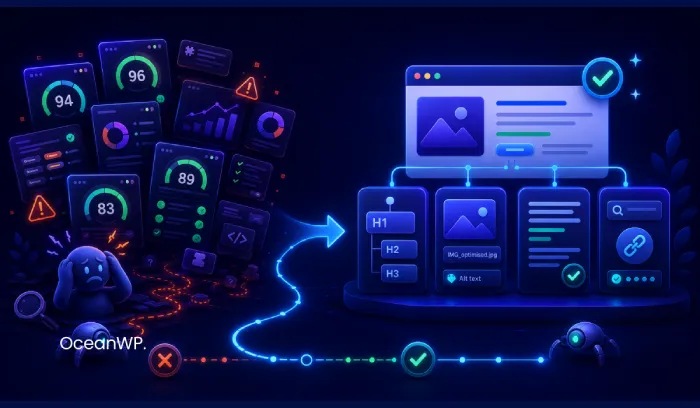
Many site owners fall into the trap of obsessing over SEO plugin scores: spending hours trying to get “all green lights” on WordPress SEO plugins like Yoast or Rank Math. To be clear, this is not criticism of the plugins’ core functionality, but of treating or presenting their scoring systems as though turning every indicator green will directly improve rankings.
Important reminder: Getting a “green light” on an SEO plugin is merely a guideline, not a guarantee of high rankings. It doesn’t guarantee any ranking at all.
Many site owners achieve far better results with far less effort simply by sticking to solid, fundamental building practices instead of spending thousands of dollars or hundreds of hours trying to beat the system:
- Heading Hierarchy (H1, H2, H3): Structure your content naturally. Use one clean H1 per page, followed by logical H2 subheadings and H3 subsections to make content scannable for humans and crawlers alike.
- Image Optimization Basics: Always name your image files descriptively with dashes separating words (
site-booster-optimization-suite-for-wordpress.jpginstead ofIMG_00492.jpg) and include meaningful ALT text for accessibility and image indexation. - Respectful, Concise Content: Give priority to clear, direct, and helpful content over keyword-stuffed copy that wastes the user’s time.
- Connect Google Search Console: Use it to monitor indexing, search performance, and technical issues reported by Google.
One thing to always have in mind: You’re not doing “new” SEO. You’re just doing SEO. Period.
But no matter how sophisticated AI is, just as you shouldn’t blindly trust an SEO plugin’s green light, you should always take AI results with a grain of salt.

7. A Reality Check on AI Models: False Positives & Prompt Bias
AI is powerful, but imperfect. It comes with distinct flaws every site owner should understand:
1. Beware of “False Positives” on AI Detection
It is surprisingly common for AI detection tools to flag page content as “pure AI”. This happens even when every word was written by an actual human.
If your writing style is clean, highly structured, and direct, detection tools often misinterpret that clarity as synthetic (AI) text.
LLMs were trained on millions of pages of human writing. It’s completely natural for well-structured human writing to mirror the patterns AI was designed to emulate.
So, if you’re running an SEO audit and your content is flagged as “AI-made”, don’t treat that result as definitive proof. Review the page for accuracy, originality, and usefulness, then focus on any issues that genuinely need fixing.
2. AI Recommendations Don’t Always Guarantee Quality
Just because an AI search engine recommends a specific page or product, that doesn’t mean the recommended site, product, content, or a brand are objectively superior.
AI engines pull information from whatever sources are most easily accessible, well-formatted, and available in their index.
The next time you’re running an SEO audit, remember: Don’t assume your competitor’s content is better just because an AI cited it. It often just means their site structure was easier for the crawler to read.
3. The Danger of “Prompt Confirmation Bias”
AI answers don’t always equal objective truth.
Most AI models are built to satisfy the user’s prompt, which often creates confirmation bias.
During our own testing, we asked Perplexity, Google’s AI Overview, Gemini, and ChatGPT the same negatively framed question: “Why is WordPress bad?” The responses differed noticeably.
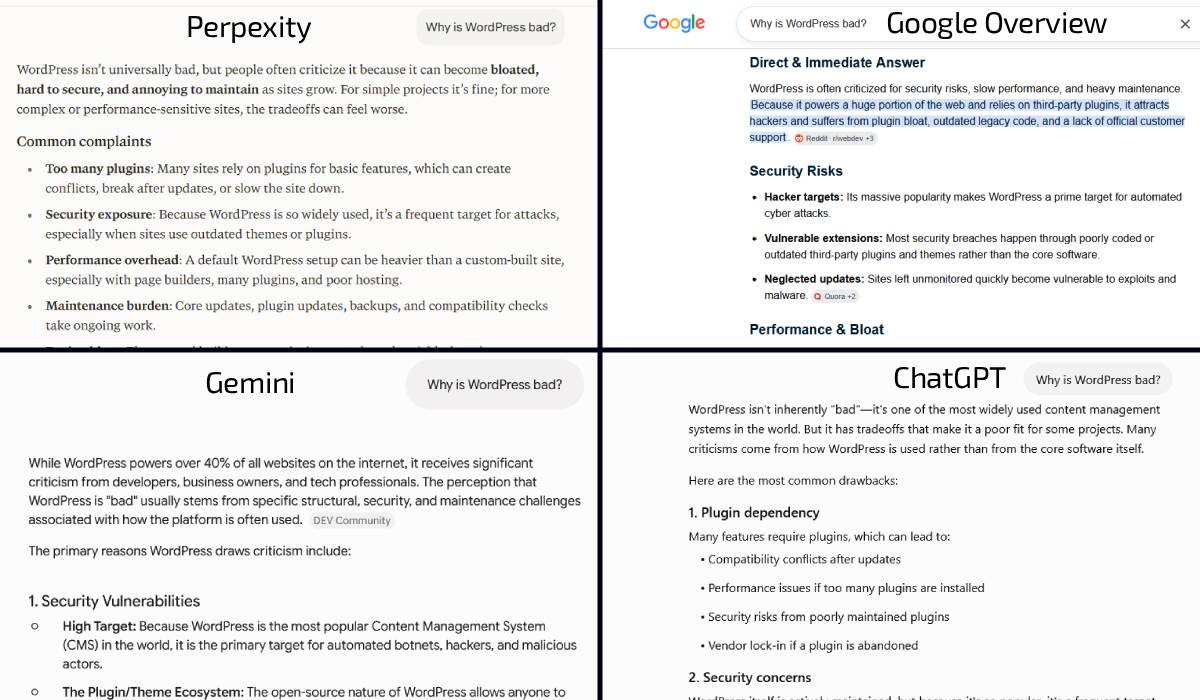
Perplexity leaned most heavily into the premise, presenting broad criticisms without citing any sources readers could verify. Google’s AI Overview offered similar criticisms with more context, while Gemini produced a notably different response. ChatGPT made the clearest distinction between limitations inherent to WordPress and problems caused by poor hosting, outdated software, third-party tools, or user implementation choices. Although the results varied, the test demonstrated how strongly the wording of a prompt can influence which evidence an AI prioritizes and how it frames its answer.
All in all, you could describe the prompt confirmation bias like this: You may not get the answer you need, but you’ll get the answer you were looking for.
If an AI model returns skewed results to answers about your website, business or brand, don’t panic. And for the love of sanity, don’t overhaul your SEO strategy because of it. Always remember, AI just may be reflecting the user’s biased query rather than the quality of your brand or business.
Summary: The Complete Web Growth Toolkit
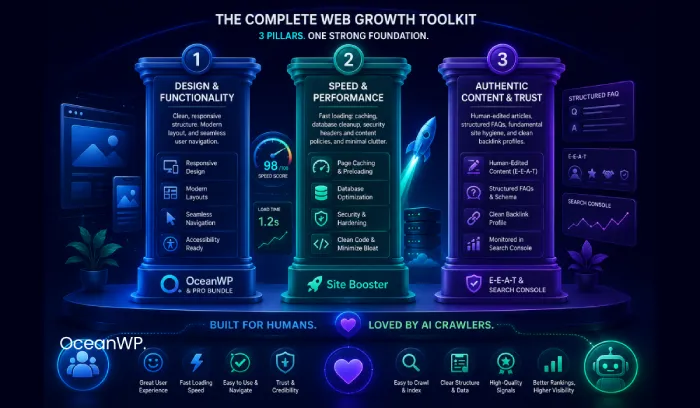
To succeed in today’s search landscape, balance your strategy across these three core pillars:
| Pillar | What to focus on | Powered by |
|---|---|---|
| 1. Design & Functionality | Clean, responsive structure, modern layouts, and seamless user navigation. | OceanWP & Pro Bundle |
| 2. Speed & Performance | Fast loading: caching, database cleanup, security headers and content policies, and minimal clutter. | Site Booster |
| 3. Authentic Content & Trust | Human-edited articles, structured FAQs, fundamental site hygiene, and clean backlink profiles. | E-E-A-T & Search Console |
By building a fast, lightweight website that genuinely respects and answers the visitor’s questions, you create an experience that both human users and AI crawlers will love.
Want Access to the Full Webinar?
OceanWP users can request free access to the complete SEO & GEO Booster Webinar recording. Simply contact our team, and ask for the recording link.
Want to be the first to know about our next live webinars? Subscribe to our newsletter to get fresh updates delivered directly to your mailbox.