
The TL;DR
TL;DR: OceanWP 4.2.0 marks a foundational shift in our mission to make professional-grade web design accessible to everyone. We have overhauled our core architecture to transition from legacy markup to modern, semantic HTML5, ensuring native compatibility with screen readers and assistive technologies. While this update introduces our new “Accessibility – A11Y” Customizer panel to give you full control, it also requires careful attention from all site owners, and especially our developer community. Below, we break down what’s changing, how to safely transition your existing sites, and why testing on a staging environment is the key to a seamless upgrade.
OceanWP 4.2.0: Elevating Your Website with Our New Accessibility-First Architecture
At OceanWP, we honestly believe the web belongs to everyone.
We’ve always been committed to accessible design, but with the latest updates to WordPress accessibility requirements, we knew it was time for a deeper, more robust solution.
We are proud to announce that the release of OceanWP 4.2.0 is planned for Jun 29, 2026, provided everything goes well during the final testing phase. Our team has spent almost the entire month of June dedicated to these crucial accessibility improvements, ensuring this release makes your site not only beautiful, but truly accessible to all users.
Introducing the “Accessibility – A11Y” Customizer Panel
To give you complete control, we’ve added a brand-new “Accessibility – A11Y” panel in the Customizer (Appearance > Customize):
- New Installations: These features are enabled by default, ensuring your site is accessible from day one.
- Existing Sites: To prevent unexpected visual changes, these options are disabled by default. You can opt-in to these improvements via the Customizer whenever you are ready.
Under the Hood: Semantic Modernization
This release goes far beyond surface-level tweaks.
We have refactored core components to ensure native support for assistive technologies:
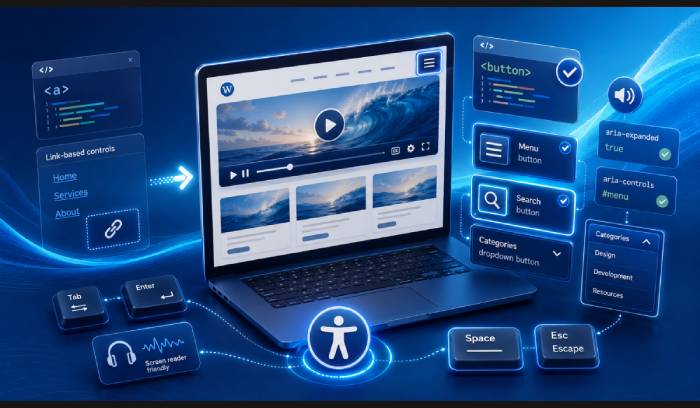
- Semantic HTML: We’ve replaced legacy link (
<a>) tags with semantic button (<button>) tags for search forms, main mobile menu toggles (ie. the hamburger menu), mobile menu dropdowns, etc., providing better behavior for screen readers. - Smart Media: Header media is now placed in a dedicated, accessible container with proper video controls (play/pause).
- Smart Aria: We’ve implemented improved ‘aria-expanded’ and ‘aria-controls’ tags throughout the theme to ensure your site communicates clearly with assistive technologies.
- Improved UX: Expect better focus capture when menus or search forms are open, navigation support via the ‘Space’ or ‘Escape’ keys, etc.
Critical: Testing and Compatibility
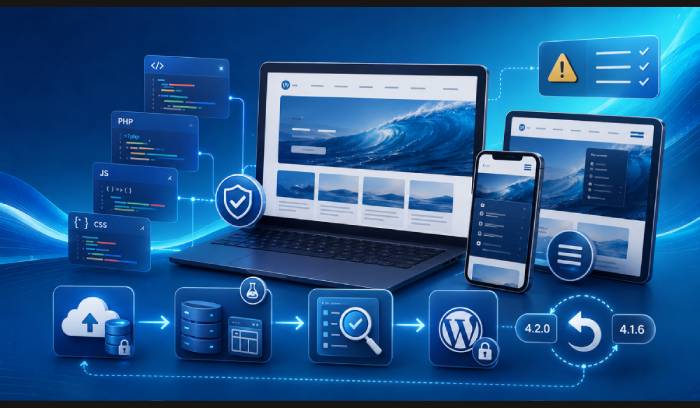
Because 4.2.0 involves deep structural changes, such as changes to the Menu Walker, or all menu JS files, PHP templates, etc., we strongly advise caution.
- Backup Your Website: Ensure to create a full backup of your production site, via your hosting panel, and manually via backup plugins.
- Download OceanWP 4.1.6: Download our last stable version 4.1.6 theme version zip file in case of potential issues with the new update, and in case you need to roll your site back.
- Because this update includes significant changes, we have decided to bump the theme version directly to 4.2.0.
- If you’re using our Site Booster optimization suite for WordPress, you can use the Rollback module directly.
- Test on Staging: Before deploying this update to a live site, please test everything on a staging environment.
- Because the Menu Walker’s HTML logic, particularly when it comes to all menu dropdowns, is now handled by PHP rather than JS, test to ensure there are no unwanted changes to your desktop and mobile header’s visual layout and functionality.
- Because we have updated all JS files that control the menus, test to ensure all menu, especially dropdown, options function as expected.
- Child Themes: If you have copied theme PHP templates into your child theme, you must update these templates to match the new accessibility standards, and to be able to use the new Customizer “Accessibility – A11Y” panel options properly.
- If you’re new to child themes or still lack proper understanding on their functionality, check out our full and no-nonsense article on WordPress Child Themes.
- As usual, in the OceanWP theme’s changelog, we will include the entire list of all updated PHP templates.
- Custom CSS: If you previously used Custom CSS to style any of the elements that have now (primarily) transitioned from links to buttons (or vice-versa), your styling may need to be updated to match the new HTML.
- As always, before opting-in for Custom CSS, we advise you to go over all Customizer options first. Your OceanWP theme enables you to style almost all aspects seamlessly and with ease.
- More Info on Backups, Staging, and Updating: If you’re a beginner and require more information on how to safely handle WordPress backups and updates, consider giving one of our older help documents “How to Safely Update Your WordPress” a read.
A Note on Sidebar Mobile Header (Sidr)
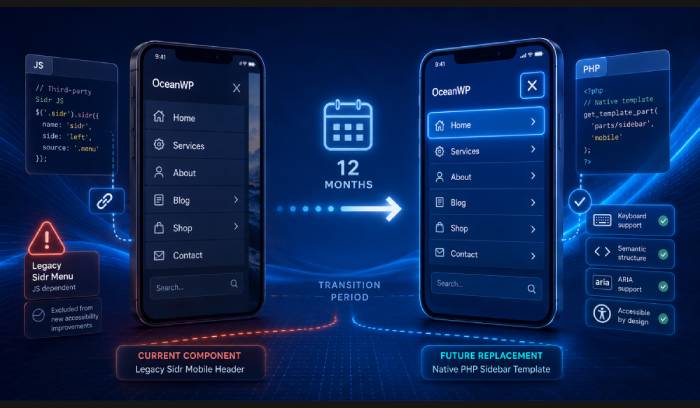
Our “Sidebar mobile header” ie. “Sidr” (Customize > Header > Mobile Menu > Mobile Menu Type) has historically relied entirely on third-party JS, which is excluded from these accessibility improvements for the better part of it.
We are planning to replace this with a native PHP-based Sidebar template soon.
We are providing a 12-month migration window for this transition, but we want you to be aware that this specific component currently lacks the accessibility features present in the rest of the theme.
We’re Here to Help
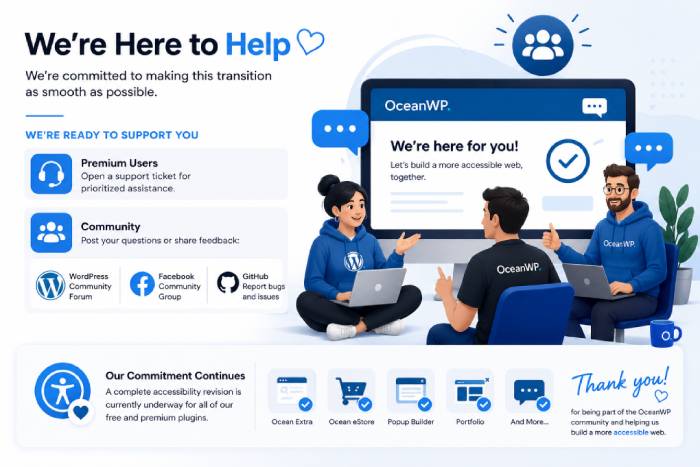
We are committed to making this transition as smooth as possible.
We will be providing a full list of changed templates in our changelog, and our team is ready to support you. If you encounter any issues, please reach out to us:
- Premium Users: For prioritized assistance:
- Please open a support ticket,
- or write directly to us (check your purchase confirmation email for our direct support email address).
- Community: Post your questions on our:
- WordPress Community Forum,
- Facebook Community Group, or
- Share complete and detailed bug reports related to the new changes via our GitHub repository.
Our commitment doesn’t stop here.
A complete accessibility revision is planned for all of our free and premium plugins.
Thank you for being a part of the OceanWP community and helping us build a more accessible web.


Excellent work on taking accessibility seriously—this is exactly why I stick with OceanWP!
You’re very welcome! And thank you for using OceanWP, and for trusting us with your WordPress project. We hope to remain your reliable partner in the future as well. More accessibility related improvements are coming soon. In the meantime, if you have any suggestions or stumble upon some problems related to the recent release, don’t hesitate to reach out to our team for support